Character designer
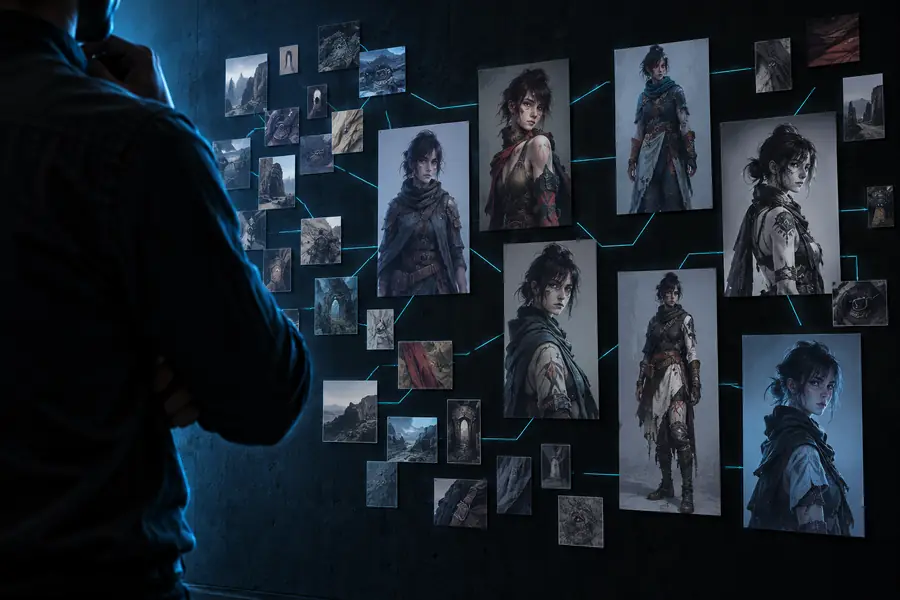
You want a recognizable character across portraits, full-body views, and different expressions.
Keep identity-bearing features consistent while varying pose and framing so the LoRA does not memorize one composition.
Model training guide
This walkthrough explains how to train lora on tensor art from dataset preparation through testing. Use it as a repeatable checklist, especially when interface labels or available training options change.

Before you begin
A clean dataset and a narrow training goal matter more than chasing every available setting. Prepare these inputs before opening the training workspace.
Decide whether the LoRA should learn a character, visual style, object, outfit, or pose. Write one sentence describing what should remain recognizable when the LoRA is used later.
Use images that show the same concept from useful angles and distances. Remove near-duplicates, accidental text, severe artifacts, watermarks, and examples that teach details you do not want reproduced.
Give every image a caption that identifies the subject and distinguishes important variations. Prepare two or three test prompts so you can compare the trained result with the base model.
Check the selected base model, image dimensions, dataset upload, trigger word, and output naming before starting. Record the choices so a second run can change one variable at a time.
Keep exploring
These related guides cover adjacent parts of a Tensorart workflow, from prompt construction to choosing a reusable starting format.
Troubleshooting table
When a Tensorart LoRA looks weak, overfit, or unrelated to the intended concept, compare the symptom with the likely cause before changing several settings at once.
| Common error | Practical fix | |
|---|---|---|
| The subject is not learned | The dataset may be too varied, captions may omit the trigger concept, or the base model may not match the image style. | Narrow the image set, use one clear trigger word, and test with prompts that describe the subject plainly. |
| Every output looks almost identical | The run may be overfit, especially when the dataset is small or training is pushed too far. | Reduce training intensity in the next run and add varied but relevant examples with different framing. |
| The style overwhelms the subject | Captions may focus too heavily on style terms, or the images may contain a strong repeated visual treatment. | Balance captions with subject details and remove images where the style hides the defining features. |
| Faces or details look distorted | Low-resolution, cropped, compressed, or inconsistent source images can teach unstable features. | Use cleaner source images, remove damaged examples, and keep important details visible across the set. |
| The trigger word has little effect | The trigger may be too common, inconsistently captioned, or competing with descriptive terms in the prompts. | Choose a distinctive token, apply it consistently, and test the token alone before adding modifiers. |
| The result works only with one prompt | The dataset may have taught a fixed composition instead of the intended concept. | Add variation in pose, crop, background, and context, then retest with a small prompt matrix. |
Read the result
A useful LoRA should add a controllable concept rather than replace the base model. Compare your first run with a cleaner second pass and change only the variables you can explain.

The comparison is about process quality, not a guaranteed output.
Unfocused runControlled runApply the method
Different creators need different checks. Use the closest scenario below, then follow the linked guide when you need more help shaping prompts or repeatable setups.
You want a recognizable character across portraits, full-body views, and different expressions.
Keep identity-bearing features consistent while varying pose and framing so the LoRA does not memorize one composition.
You are training a visual treatment that should influence new subjects without forcing the original image content.
Caption subject matter clearly and test the style with several unrelated prompts to check whether it transfers.
You need repeatable experiments and want to remember which dataset, base model, and settings produced each result.
Save a compact run log and change one major variable per iteration instead of guessing from mixed results.
Once your images, captions, trigger word, and test prompts are ready, move through the training process deliberately. Tensorart works best here as a place to compare controlled experiments, not as a substitute for reviewing the data you submit.
Tutorial FAQ
These answers address the practical questions that usually come up when planning a Tensorart LoRA training run.
Use clear images that consistently show the concept you want to teach, while varying useful factors such as pose, crop, angle, or background. Remove duplicates, severe artifacts, watermarks, and images that contain unrelated subjects.
There is no universal image count because the right dataset depends on the concept, image consistency, and intended flexibility. A smaller focused set can work for a simple subject, but variation and caption quality are usually more important than adding random images.
This usually points to overfitting or a dataset with too little variation. Try a more varied but still relevant image set, reduce the training intensity in the next run, and test the LoRA with prompts that change composition and context.
A trigger word is a distinctive token used to call the learned concept in a prompt. Apply it consistently in captions and test it by itself before adding descriptive modifiers, so you can tell whether the trained concept responds as intended.
Run a small set of repeatable test prompts and compare the outputs for concept recognition, flexibility, unwanted artifacts, and prompt control. A usable LoRA should contribute the intended subject or style without forcing every generation into the same pose or composition.